Most business websites in Morocco do not fail because of the design. They fail because nobody decided what the site should do before the work started. This guide walks through the decisions in the order they matter, so you can brief any web designer, us or someone else, and end up with a site that pays for itself.
1. Decide what the website must do
Give the site one main job. Everything else, from the design to the budget, follows from it.
- A showcase site: explains what you do and turns visitors into calls, WhatsApp messages and visits. Right for most services, clinics, agencies and trades.
- A booking site: clients pick a date, see the price and book without calling you. Right for tours, transport, rentals, restaurants and appointments.
- An online store: products, stock, delivery and payment. Right if you sell physical goods across Morocco or abroad.
- A custom platform or tool: for anything that does not fit the three above, like a client portal or an internal dashboard.
Write that job in one sentence, for example “Let tourists book our three desert tours and pay a deposit online”. Hand that sentence to every company you ask for a quote. It is the fastest way to get quotes you can actually compare.
2. Your domain name: .ma or .com?
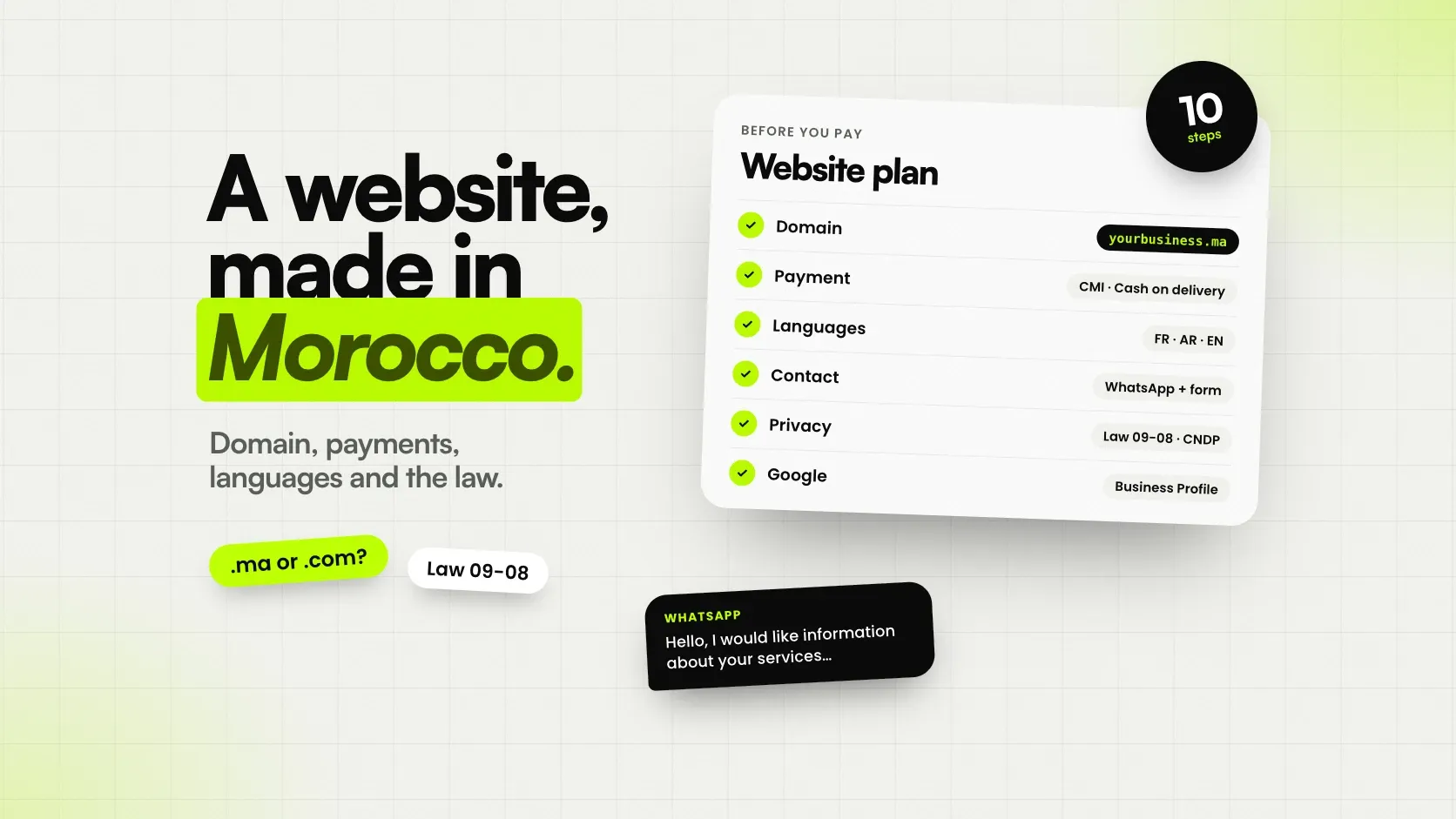
.ma is Morocco’s country extension. It is managed by the ANRT and sold through accredited registrars. It tells visitors and Google that you are a Moroccan business, which helps for local searches. .com makes more sense if most of your clients are abroad, for example in tourism. Many businesses register both and point one to the other.
- Register the domain in your name or your company’s name, never the developer’s.
- Keep the login yourself, and turn on automatic renewal. Losing a domain because a renewal email went to an old address is common, and painful.
- Pick something short that you can say clearly on the phone.
3. Hosting that is fast for your visitors
Most of your visitors will be on a phone, often on 4G. Your hosting should have servers reasonably close to them (Europe works well for both Moroccan and European visitors), an SSL certificate so the site runs on https, and automatic daily backups. Ask who pays for the hosting and whose name the account is in. The answer should be: you, and yours.
4. Getting paid online in Morocco
Online payment works differently here than in Europe or the US, so decide early how your clients will pay.
- Card payments through the CMI. The Centre Monétique Interbancaire processes card payments for Moroccan merchants. The merchant account goes through your bank, so start that paperwork early, it is often the slowest part of the project.
- Cash on delivery. Many Moroccan shoppers still prefer to pay when the order arrives. An online store should offer it from day one, and confirm orders by phone or WhatsApp to cut fake orders.
- Bank transfer. Common for business clients and large orders.
- Foreign cards. If your clients pay from abroad, make sure your setup accepts international cards, and show prices in euros as well as dirhams.
For bookings, a deposit online with the rest paid on the day is a good balance: clients commit, and you avoid most no-shows. Ask any web designer you talk to which of these payment setups they have already built. Payment integration is where inexperienced builders lose weeks.
5. Which languages?
Build in the language your clients search in, not the one you speak at the office. Moroccan clients often search in French. Tourists search in English, French, Spanish and more. Arabic is a separate project: the whole layout flips right to left, so plan for it from the start rather than adding it later.
Each language needs its own address, like /fr/ or /en/, so Google can show the right version to the right person. Automatic translation widgets do not do that, and the translations rarely sound professional.
6. WhatsApp is part of the website
In Morocco, many clients would rather send a WhatsApp message than fill in a form. Add a clear WhatsApp button with a pre-filled message, like “Hello, I would like information about…”, so the conversation starts with context. Keep a contact form as well: it reaches you when your phone is off, and it leaves a written record of the request.
7. Personal data: law 09-08 and the CNDP
If your website collects names, phone numbers or emails, through a contact form, a booking or a client account, Moroccan law 09-08 on personal data applies. It is overseen by the CNDP. In practice:
- Say what you collect and why, on a clear privacy page.
- Collect only what you need. A booking rarely needs a date of birth.
- Keep the data safe, and do not share it without consent.
- Check with the CNDP whether you need to declare the processing. Many websites that collect client data do.
A good web designer will raise this with you. If nobody mentions it, ask.
8. Be found on Google, and on Google Maps
A website is half of your presence on Google. The other half is your Google Business Profile, the listing that shows on Google Maps.
- Create or claim your Business Profile, with the exact name, address, hours, phone and a link to your site.
- Add real photos of your place, your team and your work.
- Ask happy clients for a review. A steady flow of recent reviews matters more than a few old ones.
- Give every page a title that says what you do and where: “4x4 rental in Marrakech” beats “Home”.
The technical side, from fast pages to sitemaps, is covered in our SEO checklist for new websites.
9. Compare quotes on scope, not on price
Website quotes in Morocco vary enormously, and two quotes for the “same” site rarely describe the same work. Before you compare totals, check that each quote answers these:
- Which pages and languages are included?
- Is online payment or booking included, and with which provider?
- Who owns the domain, the hosting account and the code?
- Can you edit prices, photos and text yourself?
- What happens after launch, and what does it cost each month?
- If you are a company: will you get a proper invoice showing the provider’s ICE?
We wrote a full list of questions to ask a web design company, with the red flags to watch for.
10. Plan for after the launch
A website is not finished on launch day. The domain and hosting renew every year, software needs updates, and your prices and photos will change. Agree in advance who does this, how fast they answer, and how much it costs, and keep a small monthly budget for it.
A quick checklist
- The main job of the site, in one sentence.
- Domain registered in your name, with automatic renewal.
- Hosting with https and daily backups, in your name.
- Payment method chosen, and merchant account requested early.
- Languages chosen, each with its own URL.
- WhatsApp button and a contact form.
- Privacy page, and CNDP declaration checked.
- Google Business Profile ready, with real photos.
- Quotes compared on scope, with a proper invoice.
- A plan and budget for after launch.
If you would like help with any of this, tell us about your project. We are a small studio based in Marrakech. You talk directly to the person who builds your site, and you get a fixed price before any work starts. You can see what we have built on the projects page.